How to Turn Off Automated Ads on Facebook (and What They Are)

To stop Automated Ads on Facebook, pause or delete the campaign in Meta Business Suite (under Ads) or in Ads Manager. Pausing stops the spend straight away and keeps your results history. The steps are below.
Automated Ads are Meta’s simplified, hands-off campaign type for small businesses. You answer a few questions about your goals, and Meta builds the ads, picks the audience, suggests a budget and keeps adjusting delivery. Meta’s help pages described it as creating up to six versions of your ad. They were set up from your Facebook Page or Meta Business Suite rather than from Ads Manager, which is one reason advertisers sometimes find one running without remembering saying yes.
Status as of September 2026: Meta announced in October 2025 that it had started phasing out Automated Ads in favour of Advantage+. At the time it said existing Automated Ads campaigns would continue to deliver “for the time being”. We couldn’t confirm whether any are still running today or whether the option has disappeared from every account, so treat it as a legacy product. If you have one running, the steps below still apply.
This guide starts with how to turn them off, then covers what Automated Ads do and how they differ from the other “automated” things in Meta’s ecosystem.
How to Turn Off Automated Ads on Facebook
If Automated Ads are running and you want them stopped:
- Open Meta Business Suite (business.facebook.com) and select your Page.
- Go to Ads in the left menu.
- Find the Automated Ads campaign, click the toggle (or the three-dot menu), and choose Pause or Delete.
You can also do it in Ads Manager: find the campaign in the Campaigns tab and switch the toggle off. Pausing stops spend and keeps your results history; deleting removes the campaign. If you only want to stop one variation, pause at the ad level instead of the campaign level. Meta’s menus change often, so if a label doesn’t match exactly, look for the campaign under Ads in Business Suite or in Ads Manager.
Also check for boosted posts. Boosted posts are billed like ads but are managed separately. Look under the post on your Page, or in Business Suite → Ads, to pause them.
If You Mean Ads You See on Facebook
Different problem, quick answer: as a user you can’t switch Facebook ads off entirely, but you can shape them. Go to Settings → Accounts Centre → Ad preferences to hide ads from specific advertisers and adjust the topics and information Meta uses. Tapping the three dots on any ad and choosing “Hide ad” also affects what you’re shown.
How Do Automated Ads Work on Facebook?
When you set up Automated Ads, Meta asks about your business and goals, then handles the rest:
- Multiple ad versions. Meta generates several variations of your ad (different text, images and buttons) and shows the better performers more often.
- Automatic audience. Meta builds and adjusts the audience for you, starting from signals such as your Page, location and the people it thinks resemble your customers.
- Budget guidance. Meta suggests a daily budget based on your goal and optimises delivery against it.
- Ongoing recommendations. Over time you get notifications suggesting changes, which you can accept or ignore.
That’s the “automated” part: creative testing, targeting and optimisation happen without you touching Ads Manager.
Automated Ads vs Advantage+ vs Automated Rules: What’s the Difference?
Meta uses the word “automated” for at least three different things, and mixing them up is easy:
| Feature | What it is | Who it’s for | Where you find it |
|---|---|---|---|
| Automated Ads | A guided, hands-off campaign type (being phased out) | Small businesses who don’t use Ads Manager | Page “Promote” button / Business Suite |
| Advantage+ | Meta’s AI-driven campaign settings for audience, placements, budget and creative | Advertisers running campaigns in Ads Manager | Ads Manager campaign setup |
| Automated rules | If-this-then-that rules you write yourself (pause if cost per result rises, etc.) | Advertisers who want conditional control | Ads Manager → Automated rules |
What all three share: they only react to data inside Meta’s platform. None of them can respond to outside signals such as weather, stock levels or local events. Meta’s automated rules have no weather conditions. For that you need third-party automation or a purpose-built tool.
Are Facebook Automated Ads Worth It?
It depends on how much control you want, and with the product being retired the question matters less than it used to.
Where they helped:
- You’ve never run an ad and don’t want to learn Ads Manager.
- Your budget is small and your goal is simple (more messages, more page visits, more calls).
- Testing several creative versions is usually more informative than a single boosted post.
Where they fall short:
- Limited control. You can’t structure campaigns, set detailed exclusions or run a controlled A/B test.
- Less reporting. You see less detail than in Ads Manager, so it’s harder to learn what’s working.
- No outside signals. Automated Ads will keep promoting rain jackets through a heatwave. Meta’s automation works from its own platform data and has no idea what the weather is doing. (That’s the gap weather targeting for Meta ads covers.)
If you want more control, the usual next step is an Ads Manager campaign using Advantage+ settings, with automated rules for simple safeguards. That’s also where Meta is steering Automated Ads users.
What to Use Instead: Automation You Control
Turning off Automated Ads doesn’t mean giving up on automation. It means choosing automation you can see and steer:
- Meta’s automated rules handle simple conditions inside Meta: pause an ad set if cost per result goes above a threshold, or change a budget when performance hits a target.
- Make.com or Zapier connect Meta ads to outside data. Our tutorial on triggering Meta ads with weather data via Make.com walks through a working setup.
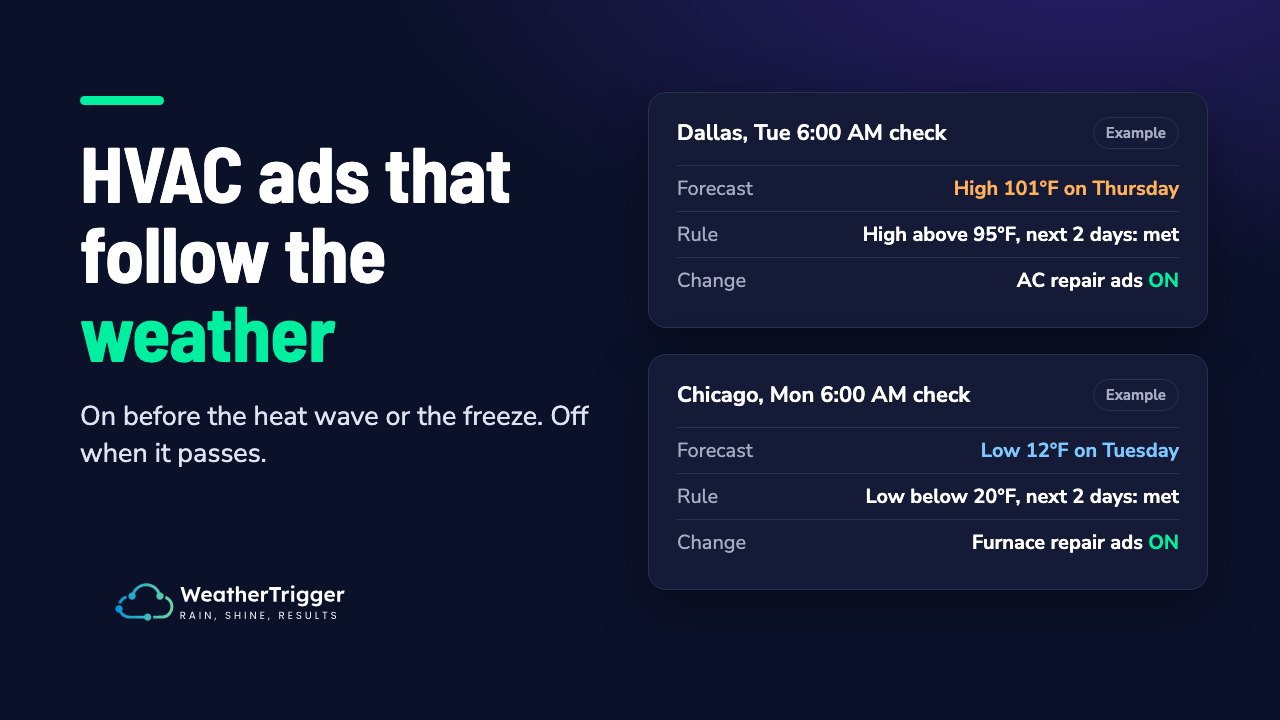
- Purpose-built tools such as WeatherTrigger (that’s us) pause and resume Meta ad sets based on live weather and forecasts: temperature, rain, wind, snow, humidity, cloud or severe weather alerts. It checks on a schedule you set and logs every check. A rule can pause or resume an ad set, or cut its daily budget while the weather is against you, but never raises a budget or touches creative. Google Ads support is coming soon. Try it free for 30 days. No card needed.
If you also run Google Ads, our free Google Ads weather scripts library covers the Google side today.
Frequently Asked Questions
What does “Automated Ads” mean on Facebook?
Automated Ads is Meta’s beginner-friendly campaign type that creates several ad variations, picks your audience and optimises delivery for you. It was designed for small businesses that don’t use Ads Manager. Meta began phasing it out in October 2025 in favour of Advantage+.
Are Facebook Automated Ads still available?
Meta said in October 2025 that it was phasing Automated Ads out over the following months and that existing campaigns would keep delivering for the time being. As of September 2026 we couldn’t confirm whether any are still available to create. New advertisers are pointed to Advantage+ campaigns instead.
How do I stop Automated Ads from charging me?
Pause or delete the campaign in Meta Business Suite (Ads section) or in Ads Manager. Pausing stops spend. Check for boosted posts too, since they’re managed separately.
What’s the difference between Automated Ads and Advantage+?
Automated Ads was a simplified campaign type for beginners, run from your Page or Business Suite. Advantage+ is Meta’s set of AI-driven settings (audience, placements, budget, creative) used inside Ads Manager campaigns, and it’s what Meta is replacing Automated Ads with.
Can Facebook ads react to the weather automatically?
Not with Meta’s built-in automation, which only sees data inside the platform. Weather-triggered Meta campaigns need an outside connection via Make.com or Zapier, or a dedicated tool such as WeatherTrigger. See our complete guide to weather targeting for Meta ads.